
Portable Go-anywhere Pro Terminals
Viasat Go-anywhere Pro (BGAN) terminals represent the “classic” way to get portable L-band satellite internet and voice in the field: set up under an open sky and you’ve got a reliable connection for email, basic broadband data, and phone/fax services. The five models below – Cobham Explorer 510, Cobham Explorer 710, Hughes 9202M, Hughes 9211, and MCD-4800 (“The Football”) – all sit in that same family, but they were designed around different priorities.
Explorer 710 and Hughes 9211 are the power user options, with Class 1 speeds up to 492 Kbps and strong support for higher rate streaming workflows, with the 710 also offering a separable antenna/transceiver for flexible setups. Explorer 510 is a compact, carry-portable hotspot-style terminal (up to 464/448 Kbps, Wi-Fi for multi device use, and app-based voice calling). Hughes 9202M targets field workers and emergency responders with a very compact form factor, Wi-Fi/Ethernet, and support for voice/fax via RJ11 alongside IP data. And Ground Control’s own MCD-4800 (“The Football”) is a ruggedized, Pelican-cased “drop it anywhere” style unit – the ultimate tough multi-user hotspot for use in harsh conditions.
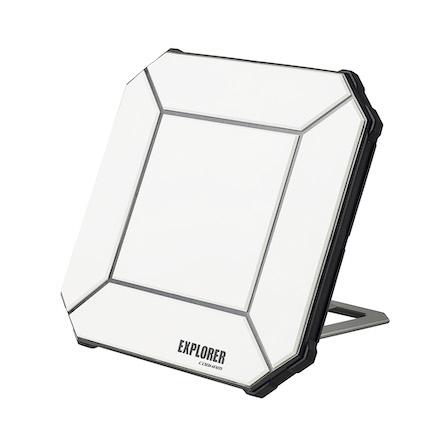
Cobham Explorer 510 |
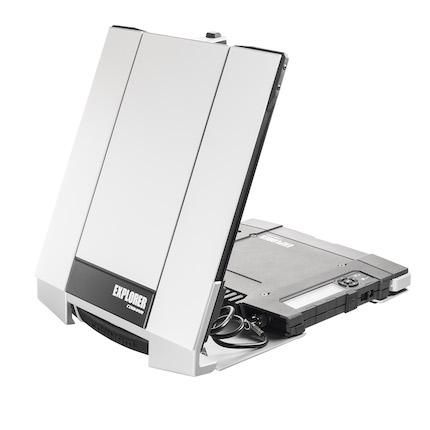
Cobham Explorer 710 |
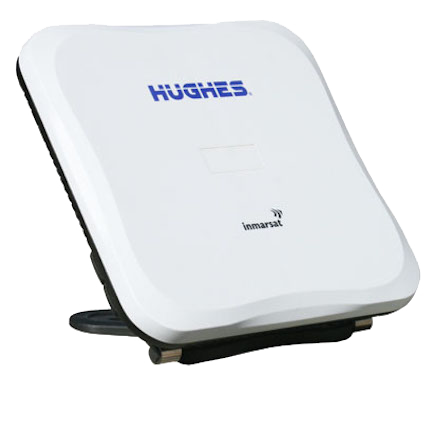
Hughes 9202M |
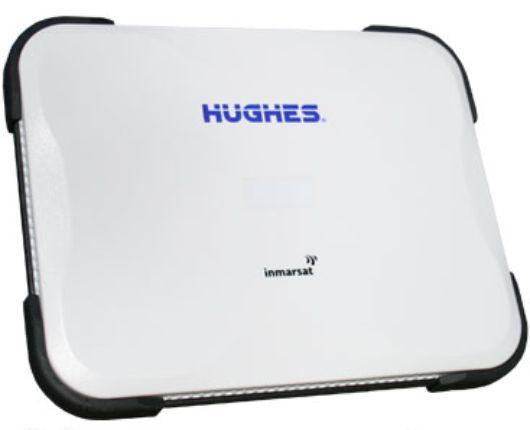
Hughes 9211 |
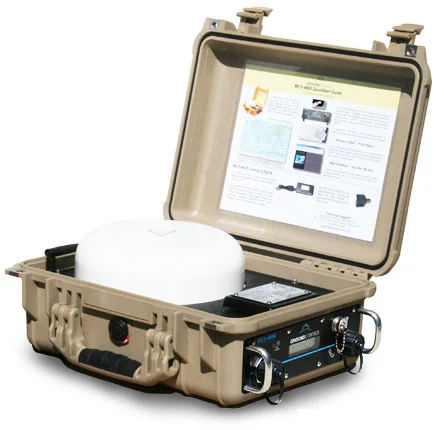
MCD-4800 "The Football" |
|
|
Dimensions |
7.8" x 7.8" x 1.6″ |
11" x 13" x 2.13″ |
8.5″ x 8.5″ x 1.8″ |
9.1″ x 11.5″ x 2″ |
17 x 13.8 x 6.8" |
|
Weight |
3.1 lbs / 1.4 kg |
7 lbs / 3.2 kg |
3.3 lbs / 1.5 kg |
4.45 lbs / 2.02 kg |
25.3 lbs / 11.46 kg |
|
Battery Life (in use) |
3.5 hours |
3.5 hours |
3.25 hours |
4 hours |
6 hours |
|
Internet Speeds |
448 ↑ 464 ↓ Kbps |
492 ↑ 492 ↓ Kbps |
448 ↑ 464 ↓ Kbps |
492 ↑ 492 ↓ Kbps |
448 ↑ 464 ↓ Kbps |
|
Video Streaming |
32, 64, 128 Kbps |
32, 64, 128, 256, 450, 650 Kbps |
32, 64, 128 Kbps |
32, 64, 128, 256, 450, 650 Kbps |
32, 64, 128 Kbps |
|
Connected Devices |
Up to 11 |
Up to 11 |
Up to 10 |
Up to 10 |
Up to 11 |
|
Environmental Rating |
IP66 |
IP55 |
IP55 |
IP55 |
IP66 |
|
Operating Temperature |
-13F to 131F / -10C to 55C |
-13F to 131F / -10C to 55C |
23F to 131F / 5C to 55C |
23F to 131F / 5C to 55C |
-13F to 158F / -25C to 70C |
|
WiFi Radius |
328 ft / 100 m |
328 ft / 100 m |
100 ft / 30.5 m |
100 ft / 30.5 m |
328 ft / 100 m |
|
Interfaces |
1 x USB to ethernet |
2 x RJ45 LAN / PoE, 1 x RJ11 phone, 1 x USB 2.0 host, 1 x RJ45 ISDN |
1 x RJ45 Ethernet, Two Line RJ11 Phone ports |
1 x RJ45 Ethernet, Two Line RJ11 Phone ports |
1 x RJ45 LAN / PoE, 1 x RJ11 Phone, 1 x AC/DC external power |
Mobile Go-anywhere Pro Terminals (all auto-pointing)
Viasat Go-anywhere Pro (BGAN) mobile terminals are built for teams who need always available connectivity from a vehicle; reliable L-band internet and voice services that keep working as you move through remote areas. The five options below – Hughes 9450-C11, Hughes 9450-C10, Cobham Explorer 323, Cobham Explorer 325, and Cobham Explorer 727 – all deliver on the move satellite communications, but with different strengths: cost vs performance, ultra-low profile installs vs stabilized tracking antennas, and general fleet communications vs broadcast-grade stability.
At a glance, the Hughes 9450 range is the configurable workhorse choice for vehicle installs, with two antenna families: 9450-C11 is typically chosen where simplicity and value matter most, while 9450-C10 is positioned for more demanding use and higher sustained performance. On the Cobham side, Explorer 323 is an ultra compact, low profile option for basic comms on the move, while Explorer 325 steps up to a more robust, harsh environment system. At the top end, Explorer 727 is the “power user” mobile terminal, designed for users who need the most stable link possible while in motion (for example, live event and broadcast workflows).
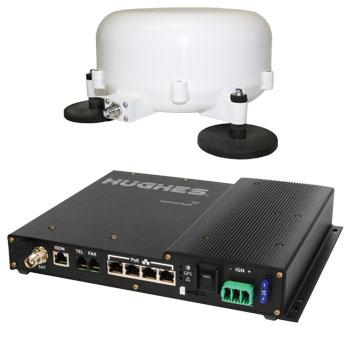
Hughes 9450-C11 |
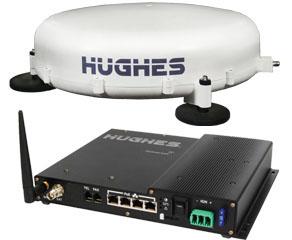
Hughes 9450-C10 |
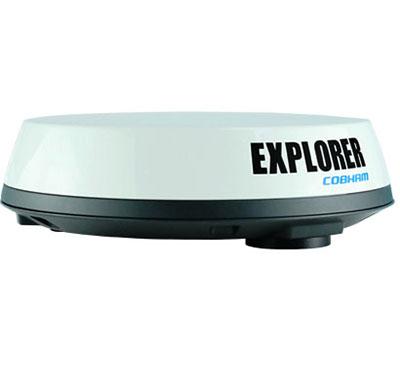
Cobham Explorer 323 |
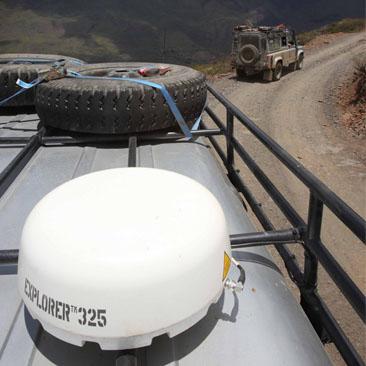
Cobham Explorer 325 |
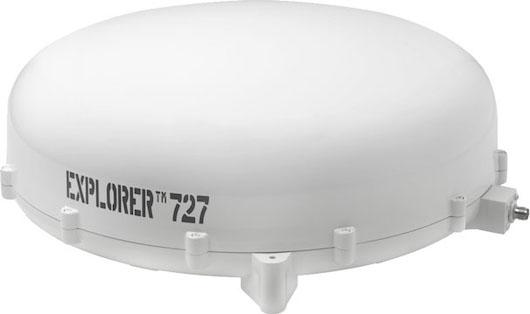
Cobham Explorer 727 |
|
|
Dimensions |
(H) 119mm x (Ø) 252mm |
(H) 152mm x (Ø) 477mm |
(H) 97mm x (Ø) 321mm |
(H) 128mm x (Ø) 349mm |
(H) 152mm x (Ø) 477mm |
|
Weight |
2 Kg |
5.5 Kg |
3.9 Kg |
3.6 Kg |
6 Kg |
|
Power |
12 or 24VDC vehicle power |
12 or 24VDC vehicle power |
12 or 24VDC vehicle power |
10.5-32VDC input |
10.5-32VDC input |
|
Internet Speeds |
448 ↑ 464 ↓ Kbps |
492 ↑ 492 ↓ Kbps |
384 ↑ 225 ↓ Kbps |
448 ↑ 464 ↓ Kbps |
492 ↑ 492 ↓ Kbps |
|
Streaming |
32, 64, 128 Kbps |
32, 64, 128, 256 Kbps |
32, 64 Kbps |
32, 64, 128 Kbps |
32, 64, 128, 256, 450 Kbps* |
|
Voice |
4Kbps, 3.1K audio via RJ11 phone port |
4Kbps, 3.1K audio via RJ11 phone port |
4 Kbps AMBE +2 |
4 Kbps AMBE +2 / 64 Kbps** |
4 Kbps AMBE +2 / 3.1 kHz audio, 64 Kbps** |
|
Environmental Rating |
IP56 |
IP56 |
IP66 |
IP56 |
IP56 |
|
Operating Temperature |
-13F to 131F / -10C to 55C |
-13F to 131F / -10C to 55C |
-13F to 131F / -10C to 55C |
-13F to 131F / -10C to 55C |
-13F to 131F / -10C to 55C |
|
Interfaces |
Ethernet ports x 4 |
Ethernet ports x 4 |
Ethernet port x 1 |
Ethernet ports x 2, RJ-11 x 1, GPIO x 1 |
Ethernet ports x 4, RJ45 ISDN x 1, GPIO x 1 |
*Available only when stationary
**Premium Voice service
Go-anywhere Pro Airtime Service Plans
 Go-anywhere Pro Airtime
Not sure what you need?
Get in touch
Go-anywhere Pro Service Plans
Learn More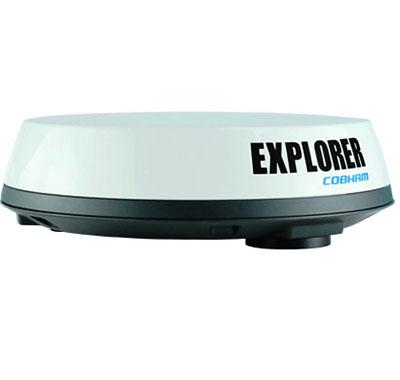
Go-anywhere Pro Standard
Learn More
Go-anywhere Pro Streaming Services
Learn More
Go-anywhere Pro Prepaid Vouchers
Learn More
Go-anywhere Pro SCAP – Shared Corporate Allowance Plan
Learn MoreTotal Broadband Freedom
Basically, Go-anywhere Pro terminals are the size of a laptop and connect to the internet through a satellite connection no matter where you are in the world.
There are about 18 kinds of Go-anywhere Pro terminals, most of which are small enough to fit inside a laptop case. They all do pretty much the same thing – high-speed internet and phone.
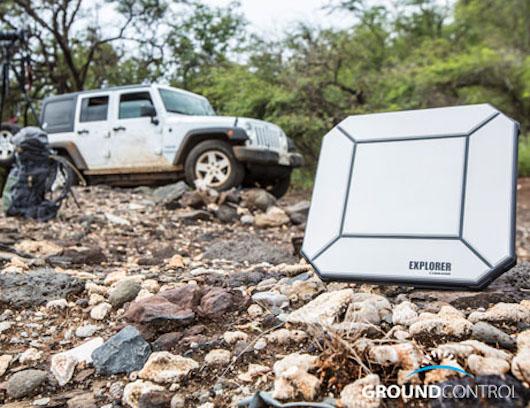
Connecting your computer to a Go-anywhere Pro terminal is done with a simple Ethernet cable or, as with some terminals, through a Wi-Fi connection – great for when you want to be inside while the terminal is outside, or you have a smart device where Wi-Fi is required.
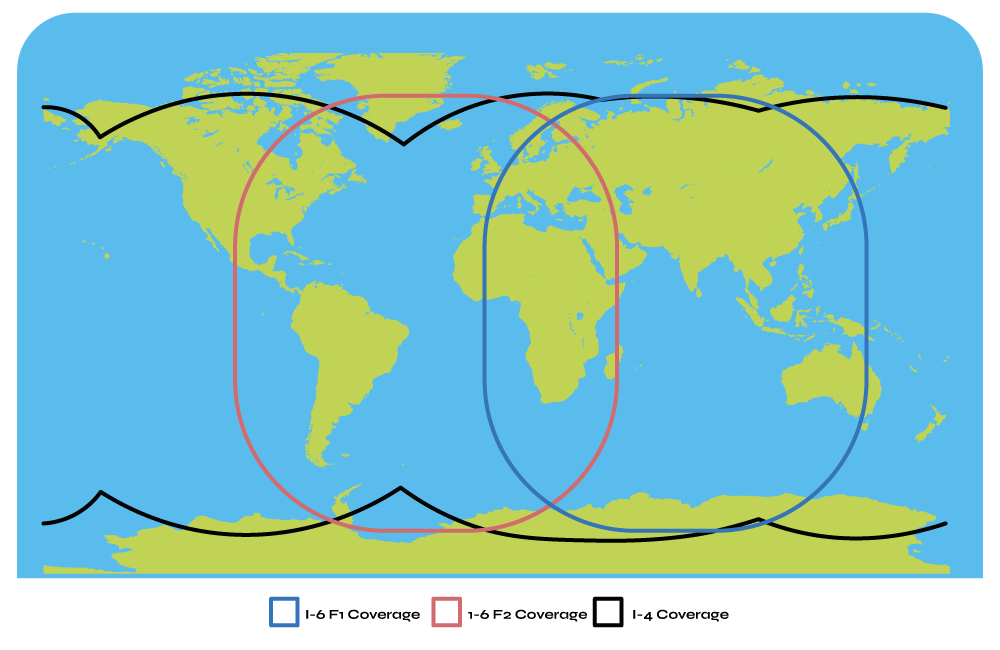
A Clear View of the Sky
To connect to the satellite, a Go-anywhere Pro terminal must have line-of-sight to one of the four Viasat Go-anywhere Pro satellites, meaning there can’t be any trees, walls, or buildings between the terminal and the satellite. Often, a Go-anywhere Pro terminal is placed outside but in can be inside and point through a window if the satellite can be seen.
If you’re within the colored regions, Go-anywhere Pro service will operate on the same service plan with Ground Control.
These satellites are in stationary orbit around the planet, so no matter where the Go-anywhere Pro is, it can connect. Only the extreme polar regions are unable to connect because the satellites are below the horizon and can’t be seen.
Go-anywhere Pro Voice Calls
Each Go-anywhere Pro SIM card is issued an ‘international’ phone number and incoming calls are free – however, the calling party is charged for making an international call. Go-anywhere Pro voice calling is superior to handheld satellite phones because the antenna is much larger and, unlike some satellite phones that connect with moving satellites, Go-anywhere Pro connects to a single stationary satellite avoiding call drops in increasing the overall call quality.
Go-anywhere Pro terminals don’t require an external power source for idle operation with an average of 36 hours per charged battery. These systems are field proven and have been invaluable communications tools to thousands of professionals and organizations worldwide for years.


About Go-anywhere Pro Terminals
How to use a Go-anywhere Pro Terminal
Haiti Earthquake (January 2010): Technology Red Crossers Use

Why Buy Your Go-anywhere Pro Device and Airtime From Us?
We also provide a no-cost Go-anywhere Pro firewall option for high-security and auto-registration pre-configuration for one-button activations - and many other benefits. Please call or email us, or complete the form, and we'll help you find the most cost-effective satellite communications solution for any situation.