Frequently
Asked Questions - Mobile Satellite Systems
How much does the equipment cost?
There are a number of factors that go into equipment pricing that includes
installation, and not every system will perform like the others. To have a quote
sent to you for precisely what you are looking for, please contact a Ground Control
sales representative at 800-773-7168 ( 805-783-4600 outside of the U.S.).
How does the Monthly Service Work?
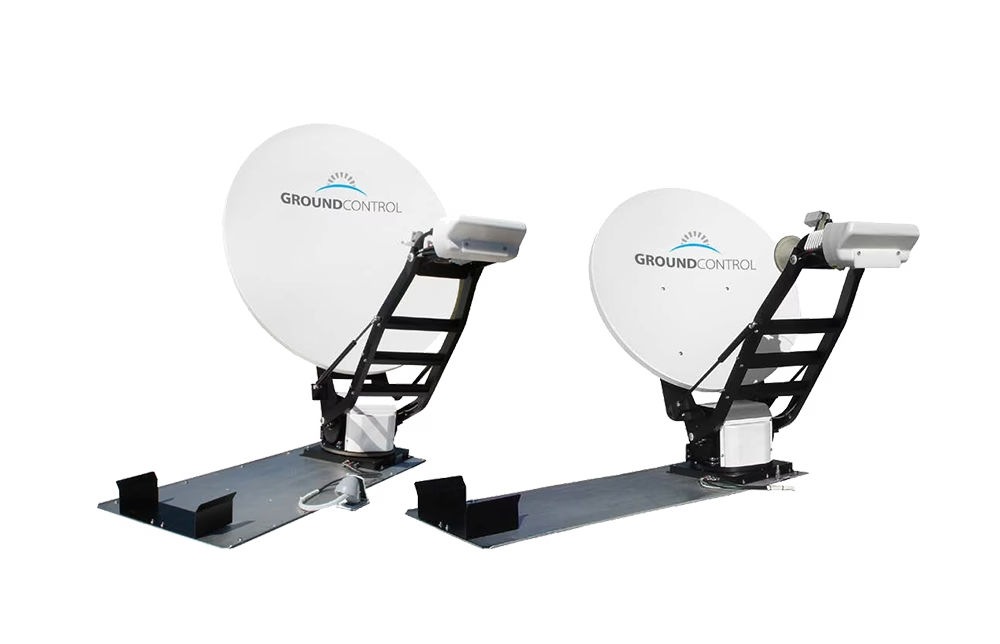
The MSS will work with either HughesNet or
Galileo services offered through Ground Control.
The Toughsat will also work with Galileo, or any KU
band service provider like iDirect.
You have the option of purchasing only the
equipment
and
using
your
KU
band satellite service provider. We recommend you call
us
to find
the package
right
for
your needs.
Who manufactures the MSS & MSST?
Ground Control is both the satellite Internet/data provider and the manufacturer
of the MSS and MSST Toughsat . We know these products top to
bottom and will support you 24-7 with our U.S. based technical support department
as well
as our nationwide field support team. Ground Control also supports the AvL
line of mobile satellite systems that includes several different dish sizes.
What is the difference between a HughesNet MSS and the
Galileo MSS/MSST Internet Service?
The main differences are cost and performance. Most RV owners and small businesses
choose the less expensive HughesNet system with a smaller .74 meter dish to
mount of their roof. The monthly HughesNet access fees are very affordable.
The Galileo MSS is a larger dish supporting access to our high performance
network that allows a multitude of applications such
as VPN, VOIP and other private networking solutions to work without problem.
What is the difference between the MSS and the BGAN
Satellite Terminals?
BGAN,
short for Broadband Global Area Network, is world wide connectivity with
a smaller portable or in-motion antenna that can transmit and receive up
to
492 Kbps. While BGAN
terminals are small, the fees for using the service are more expensive,
...but if you need portability that fits in a laptop case, BGAN is the way
to go.
Who do I buy my monthly access from?
Most often with Ground Control direct. With the MSST Toughsat, you may use
your own KU band service provider and just purchase the equipment from us. Ground
Control is a leader in mobile satellite Internet access of Galileo and HughesNet. If
there is a problem, we are your point of contact 24x7.
Can I connect any kind of computer to the MSS/MSST?
Yes, both Windows and Macintosh users, as well as any TCP-IP based computer
or device may connect to the MSS/MSST. If your computer has a wireless card,
then it may access the MSS/MSST via a wireless "G" Access Point.
I'm concerned about
security with wireless access. Is it secure and can I
turn Wi-Fi off?
Yes, absolutely. You may use 64 or 128 bit encrypted WEP security or you may
at any time disable the wireless access point and only allow network traffic
connected by an Ethernet cable.
Can anyone physically install the mobile dish?
No, a certified mobile installer is required since installation is fairly
complicated. You do have the option of becoming a certified installer for a
nominal fee using our online certification course. Ground
Control has professional
mobile
satellite
Installers
in the
U.S. and
Canada. With the MSST, if you are using your own provider, or are located outside
of North America, then we highly recommend you become a certified installer.
Please contact a
Ground
Control
sales
representative for more information.
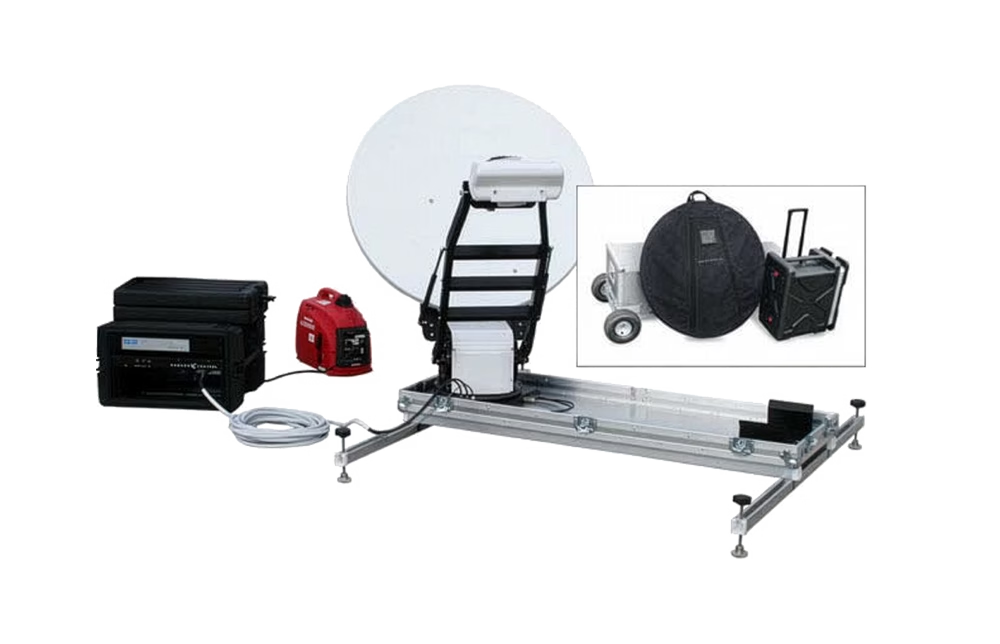
Do you make a case-based portable dish system?
Yes. Ground Control makes a flyaway
system that you can ship a .74, .95 MSS or .98 Meter MSST system
anywhere. Larger sizes are available with our AvL
product line.
How does the dish find the satellite?
For the MSS series, the dish is completely motorized and controlled by onboard
electronics. No external controller equipment is needed, except for the remote
button pad
that
you can mount anywhere inside the vehicle. You may also control the dish from
any wi-fi or ethernet connected computer. Press one button on the MSS remote
button pad and the dish deploys and locks to the satellite automatically in
about 3 to 7 minutes. The MSS is completely self-contained and does not
require any kind of computer to connect to the satellite and create a local
area network. There is no physical labor involved in setting up the dish.
Once the satellite is found, you are online. Simply run your web browser or
e-mail program. Here is more
information on the MSST.
Can I be traveling
down the road and be online at the same time?
No. The rig must be parked in order to connect on the satellite. In-Motion
satellite systems can be found on this
page.
How does weather affect the dish?
It would have to be a heavy wind or rain to affect usability of the system. Transmission
will be suspended if signal quality dips, which is rare and happens only in
a downpour.
What is AutoStow and how does this features work?
The AutoStow is for when you accidentally drive off and leave the dish up.
For it to work, the MSS/MSST must be turned on. If the vehicle moves a significant
distance, the onboard GPS will recognize the vehicle is moving and automatically
stow the dish. If the dish is online, and the vehicle is moved, the dish will
stow in 10 seconds after being off signal. While these autostow features are
not a guarantee on your hardware's safety, they are a line of defense to protect
your investment.
May I also use the
service off the vehicle?
Yes. Many who own a mobile system move the satellite modem from the rig to
a second installed dish on a home/office and continue using the monthly satellite
service. Obviously, for those that park the rig nearby, a wireless connection
to a building is possible if the satellite system is turned on. .
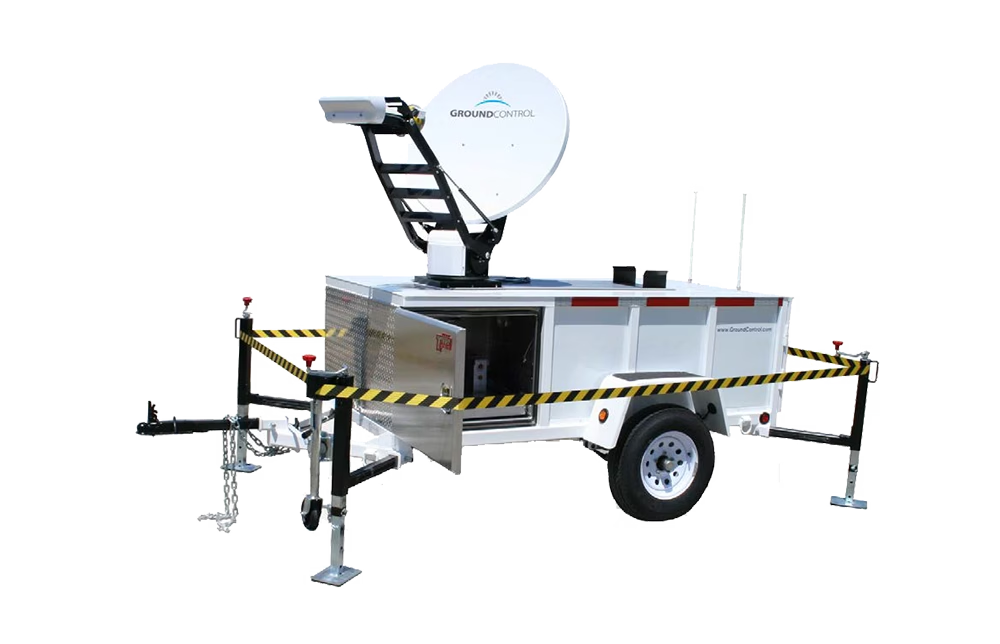
Would the MSS fit on a small trailer?
The system can fit on any mobile platform that gives it room to turn around
in place. The bottom of the dish rim must be at least six feet off
the ground to legally transmit.
How difficult is it
to use the system?
Not at all. Press the "Power Button" and wait for the panel lights
to stop blinking, and then press the "Find Satellite" button. The
system will automatically go up and lock onto the correct satellite between
3 to 7
minutes (the MSST
averages 3.5 minutes consistently). Once this happens, your network will light
up, and you may immediately connect to
the Internet at high-speed. To stow the dish, simply press the "Stow" button.
The dish will stow in about 2 minutes, and you may then drive away.
Is it easy to stow
and reconnect the satellite dish when one moves from
one location to another?
Yes. Just press the Stow button on the front panel and the dish will stow
automatically. When you arrive at the new location, simply press on the Find
Satellite button.
Can the dish be used
for TV as well as Internet simultaneously?
There once was a bracket for the MSS that you could add DirecTV to the HughesNet
dish, but satellites constantly change and many have
lost their satellite TV because of this move to a different satellite.
If you require TV, we highly recommend the purchase an inexpensive mobile TV
system
separate
from
your Internet/Data
connection.
Can the dish be used
as a telephone?
Yes many of our customers use VOIP software telephone service. We recommend
Skype at www.skype.com with the HughesNet MSS. With the Galileo MSS, you may
use a host of VOIP solutions on the market today. The Galileo system will support
many simultaneously VOIP connections .
How fast are the upload
and download speeds?
There a numerous speed packages to choose from. Please contact a Ground Control
representative to find out what package is best for you.
Can I get a Static
IP address?
Yes. One or more Public Routable IP addresses are available from Ground Control.
Does the system support
VPN?
HughesNet has not preformed well with VPN. Galileo, however
was designed to support many VPN's out of the box due to
the performance characteristics of the network.
How often can I use
the dish?
If the dish is locked on satellite, and your computer is turned on, you are
online. Services charges are a flat fee per month from HughesNet or Galileo.
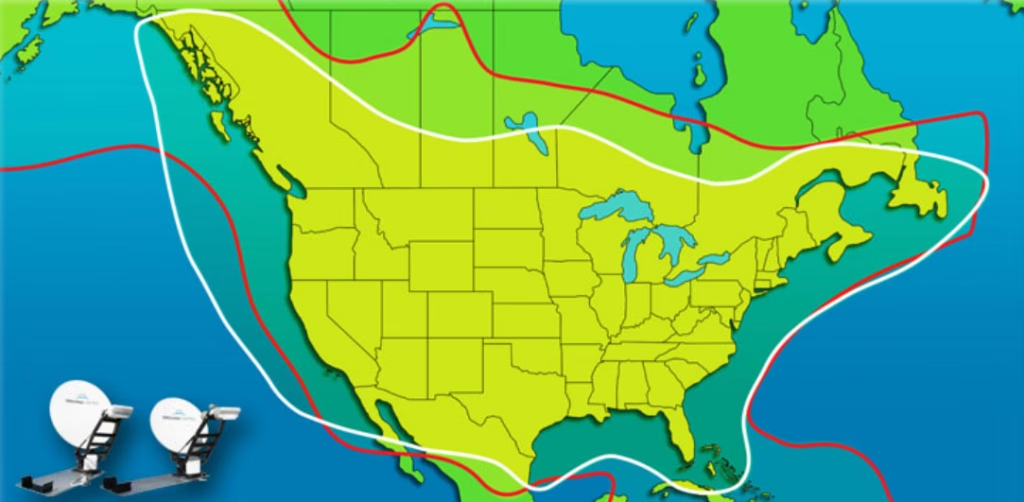
Does the system work
anywhere in North America?
Take a look at the coverage maps that are located on this web site. These
maps show the "footprints" of the Galileo or HughesNet satellites
on North America which includes Canada and Mexico. You must have an unobstructed
view of the southern sky. If there are objects between the dish and the satellite,
it will not find the satellite.
Galileo
Coverage Area (MSS and MSST)
HughesNet
Coverage Area (MSS Only)
The MSST Toughsat Coverage Map is World Wide with your
KU band service provider
Can I have the system
installed where I'm located?
Ground Control will send an installer to your location for installation
in North America. We do have the ability to work with other installation firms
all over the world and will help you locate the installer that can help you.
What about dish software
upgrades?
From time to time, Ground Control makes available new software releases that "Flash" your
MSS/MSST system memory with an improved version of code. This code can automatically
be downloaded and installed on your system from the MSS/MSST main screen.
Don't see your question
here?
Ground Control desires to make the FAQ as complete as possible. Please email
the web administrator at webmaster@groundcontrol.com and
please let us know your mobile question was not answered on this web page.
Also, please feel free
to contact a Ground Control sales representative at 800-773-7168 or 805-783-4600
or you may email us at sales@groundcontrol.com sales@groundcontrol.com
|